
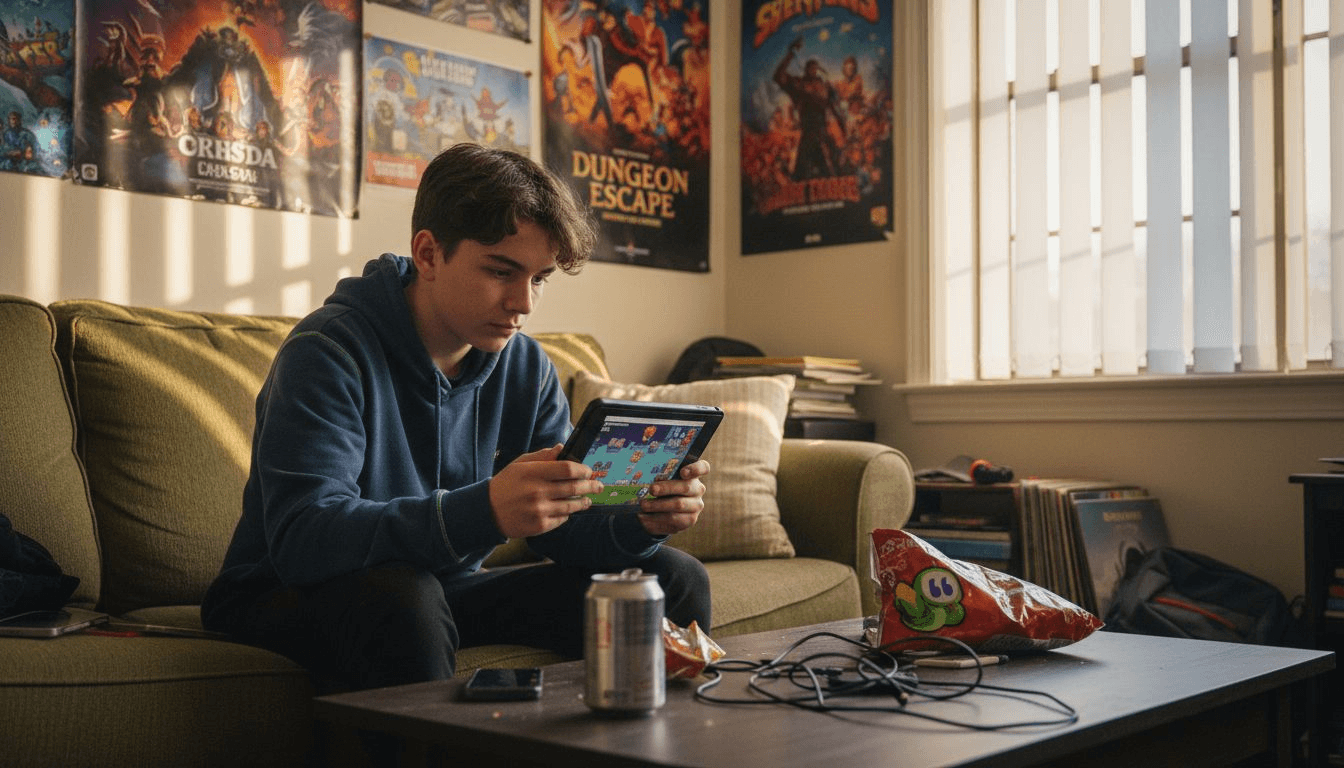
Finding the perfect online game shouldn't feel like searching for a needle in a haystack. With hundreds of browser games at your fingertips, you want quick, fun options that match your device and time. This guide breaks down the most popular types of online games for casual players, helping you pick the right fit whether you have five minutes or an hour, playing on mobile or desktop.
Table of Contents
- How To Choose The Right Online Game: Selection Criteria
- Match-3 And Puzzle Games: Easy, Engaging, And Educational
- Action-Packed IO And Shooter Games: Fast-Paced Multiplayer Fun
- Racing And Agility Games: Quick Reflex And Competition
- Dress-Up And Creative Games: Fun Customization For Younger Players
- Trade-Offs Between Multiplayer And Single-Player Games For Casual Play
- Accessibility Considerations: Mobile Vs Desktop Browser Gaming
- Summary Comparison And Situational Recommendations
- Explore A Wide Variety Of Free Online Games On Cornigames
Key takeaways
| Point | Details |
|---|---|
| Selection criteria matter | Session length, device compatibility, and gameplay complexity help narrow choices for casual gamers. |
| Match-3 games dominate | Over 60% of casual browser games are match-3, perfect for quick sessions under 10 minutes. |
| Multiplayer versus single-player | Single-player games account for 77% of casual usage due to instant access and no matchmaking delays. |
| Mobile optimized games | Mobile browser sessions are 30% more frequent but shorter, requiring simpler touch controls. |
| No downloads boost retention | Games requiring no downloads or registrations increase user retention by 50%. |
How to choose the right online game: selection criteria
Before diving into specific game types, understanding what matters most helps you make smart choices. Casual gamers, especially children and teens, benefit from thinking about a few practical factors that shape their experience.
Session length tops the list for most players. If you have only a few minutes between homework or errands, games with short rounds work better than lengthy campaigns. Device compatibility comes next because mobile touchscreens handle some games better than others, while desktop keyboards and mice suit complex controls.
Gameplay complexity varies widely. Younger kids prefer simpler mechanics with clear goals, while older teens enjoy more strategic challenges. Multiplayer options add social fun but require stable internet and often longer sessions to match with other players. Games that require no downloads or registrations lower entry barriers and boost retention by 50%, making them ideal for quick entertainment.
Genre variety ensures you find something matching your current mood. Here are the key factors to weigh:
- Session length: 5 to 15 minutes for most casual play
- Device type: mobile touch controls versus desktop keyboard and mouse
- Gameplay complexity: simple mechanics for younger players, strategic depth for older gamers
- Multiplayer needs: social interaction versus instant solo play
- Registration requirements: instant access beats account creation
Pro Tip: Start with genres you already enjoy in other formats. If you like card games offline, try online puzzle games. If you prefer sports, racing games offer similar quick thrills.
These criteria form the foundation for exploring specific game types that fit your lifestyle and preferences. Let's look at the most popular categories among casual gamers.
Match-3 and puzzle games: easy, engaging, and educational
Match-3 and puzzle games sit at the top of casual gaming for good reason. They combine simple mechanics with surprisingly deep strategy, making them perfect for players of all ages seeking quick fun.
Over 60% of casual browser games are match-3, with sessions under 10 minutes. This genre includes classics where you swap adjacent items to create rows of three or more matching pieces. The straightforward goal and colorful visuals appeal to children ages 7 to 14, while the puzzle solving challenges older players too.
These games shine in educational value alongside entertainment. Educational puzzle games improve children's problem-solving skills by up to 30% after daily 15 minute play. Pattern recognition, planning ahead, and quick decision making all develop naturally through repeated play.
Easy controls make match-3 games accessible on any device. You simply click or tap to swap pieces, with no complicated button combinations to memorize. This simplicity encourages repeat play because you can jump in immediately without relearning controls.
Key benefits include:
- Sessions typically last 5 to 10 minutes, perfect for short breaks
- No steep learning curve, making them ideal for first time gamers
- Cognitive benefits including memory improvement and logical thinking
- High replay value with new puzzles or randomly generated boards
- Compatible with both mobile touchscreens and desktop mice
Statistic: Educational puzzle games boost problem-solving skills by 30% with just 15 minutes of daily play.
Whether you play to relax or challenge your brain, match-3 games on CorniGames offer immediate fun with educational perks wrapped in colorful, engaging packages.
Action-packed IO and shooter games: fast-paced multiplayer fun
IO and shooter games deliver adrenaline rushes through competitive multiplayer action. These browser games attract teens seeking reflex challenges and social competition without lengthy downloads.
Typical matches last under 15 minutes, fitting nicely into casual gaming windows. You drop into arenas or battlefields, compete against real players worldwide, and see immediate results. The fast pace keeps excitement high, with new matches starting within seconds of finishing the previous one.
These games require better motor skills than puzzle games. Mouse control for aiming or touch precision for mobile shooters takes practice. Browser shooter games attract teens but have 20% lower retention for players under 12 due to control difficulty. This makes them better suited for older casual gamers comfortable with quick reactions.
Multiplayer nature creates unpredictable excitement but also some challenges. You need stable internet to avoid lag, and peer availability varies by time of day. Peak hours offer faster matchmaking, while off hours might mean waiting longer or playing with higher latency.
Key characteristics include:
- Quick matches averaging 10 to 15 minutes for complete rounds
- Real-time competition against players worldwide
- Higher skill floor requiring good mouse or touch control
- Social interaction through team play or competitive leaderboards
- Better suited for teens than younger children
Despite accessibility limits for younger kids, fast-paced shooter games remain hugely popular among teens who enjoy testing reflexes and competing for high scores. The instant feedback and visible skill progression keep players coming back.
Racing and agility games: quick reflex and competition
Racing and agility games hit a sweet spot between accessibility and challenge. They offer competitive thrills with broader device compatibility than complex shooters, making them favorites for on the go mobile play.

Average racing game sessions last about 7.5 minutes across mobile and desktop browsers. This fits perfectly into quick breaks, commutes, or waiting periods. You get satisfying completion without investing huge time blocks.
These games focus on reflex and timing rather than strategic planning. Navigate tracks, avoid obstacles, or perform tricks to score points. The straightforward objectives make them easy to understand but hard to master, creating that addictive "one more try" feeling.
Device flexibility stands out as a major advantage. Racing games adapt well to touchscreen controls on mobile phones while also working smoothly with keyboard arrow keys on desktop. This cross-platform compatibility means you can play the same game types whether lounging at home or riding the bus.
Key features include:
- Sessions around 7.5 minutes, ideal for casual play windows
- Simple controls requiring mainly directional input and timing
- Works equally well on mobile touchscreens and desktop keyboards
- Light competition through leaderboards without overwhelming complexity
- Movement-based gameplay appealing to action-oriented players
Pro Tip: Start with easier difficulty levels to learn track layouts and control sensitivity. Once comfortable, higher difficulties offer better replay value and fiercer competition.
Whether you prefer realistic racing simulations or quirky obstacle courses, racing and agility games deliver quick competitive fun that fits any device and skill level.
Dress-up and creative games: fun customization for younger players
Dress-up and creative games provide gentle, imagination-focused fun perfect for younger children. These games emphasize self-expression and creativity over competition or reflexes.
Designed specifically for kids ages 6 to 12, these games feature simple interfaces with drag and drop mechanics. Children dress characters, decorate rooms, or create artwork using intuitive tools that require minimal instruction. The lack of time pressure or failure states creates a relaxing play environment.
Session lengths average around 8 minutes, with high replay value. Unlike games with fixed endpoints, creative games let players experiment endlessly with different combinations. Each play session can produce a unique result, encouraging kids to return and try new ideas.
No registration or downloads increase accessibility significantly. Parents appreciate the immediate access without creating accounts or sharing information. Kids can jump straight into creative play from any browser, whether on a home computer or school library device.
Key benefits include:
- Emphasis on creativity and personal expression over competition
- Simple drag and drop interfaces suitable for young children
- Sessions around 8 minutes with unlimited replay potential
- Zero barriers through no registration or download requirements
- Fosters imagination while offering calm, pressure-free gameplay
These games serve as digital dollhouses or art studios, giving children safe spaces to experiment with colors, styles, and designs. Dress-up and creative games help develop aesthetic sensibilities while providing light entertainment that parents feel good about.
Trade-offs between multiplayer and single-player games for casual play
Choosing between multiplayer and single-player modes shapes your entire gaming experience. Each offers distinct advantages and limitations worth understanding before committing time.
Single-player browser games make up 77% of casual usage due to ease of access and no matchmaking needed. You click play and immediately start without waiting for other players. This instant gratification suits casual gaming perfectly, especially for shorter play windows.
Single-player games let you pause anytime without affecting others. Need to answer the door or help with dinner? Just pause and resume later. This flexibility matters enormously for younger players whose time gets interrupted frequently.
Multiplayer games require coordination with real people. You need stable internet to prevent lag, and peer availability varies throughout the day. Weekend evenings offer the best matchmaking, while school hours might leave you waiting. Sessions also tend to run longer because leaving early affects teammates or forfeits your progress.
The social element provides multiplayer's biggest draw. Playing with friends or competing against real opponents creates excitement that AI opponents can't match. You build skills faster through human competition, and victories feel more meaningful.
| Aspect | Single-Player | Multiplayer |
|---|---|---|
| Start time | Instant | Depends on matchmaking |
| Session length | Flexible, can pause | Must complete matches |
| Internet needs | Minimal | Stable connection required |
| Social interaction | None or limited | High, with real players |
| Skill development | Steady against AI | Faster against humans |
Your choice depends on priorities. Want quick, flexible play you control completely? Choose single-player. Crave social interaction and dynamic competition? Pick multiplayer despite the extra requirements.
Single-player and multiplayer online games each have their place in casual gaming. Many players enjoy both, selecting based on available time and current mood.
Accessibility considerations: mobile vs desktop browser gaming
Device choice significantly impacts which games you'll enjoy most. Mobile and desktop browsers each bring strengths and limitations that shape your gaming experience.
Mobile browser gaming sessions are 30% more frequent but shorter compared to desktop. You pull out your phone during brief moments throughout the day, playing in three to five minute bursts. Desktop gaming happens less often but sessions typically last longer because you're settled at a computer.
Touchscreen controls require simpler game mechanics. Complex key combinations or precise mouse movements don't translate well to mobile screens. Match-3, racing, and creative games work beautifully on phones because they use intuitive taps and swipes. Shooter games with detailed aiming struggle on small touchscreens compared to desktop mice.
Cross-platform browser games increase accessibility dramatically. When developers optimize for both mobile and desktop, you can switch devices based on where you are. Start a puzzle game on your phone during lunch, then continue on your computer at home.
Games with no downloads or registrations perform better on both device types. You simply open a browser and play, whether on mobile Safari or desktop Chrome. This eliminates storage concerns on phones with limited space and speeds up access on any device.
Key differences include:
- Mobile suits quick sessions with simple touch controls
- Desktop enables longer play with more complex mechanics
- Cross-platform games offer flexibility to switch devices
- No download requirements benefit both platforms equally
- Screen size affects detail visibility and control precision
Choosing games optimized for your primary device enhances enjoyment and increases repeat play. If you mainly game on mobile, prioritize titles with excellent touch controls and quick sessions. Desktop players can explore more complex games requiring keyboard and mouse.
Mobile and desktop browser games each shine in their contexts. Understanding these differences helps you select titles that work smoothly on your preferred device.
Summary comparison and situational recommendations
With all these game types covered, seeing them side by side helps clarify the best fits for different situations. This comparison puts key factors in one place for quick reference.
| Game Type | Best For | Session Length | Device Compatibility | Age Suitability |
|---|---|---|---|---|
| Match-3 & Puzzle | Quick solo play, learning | Under 10 min | Mobile & Desktop | Ages 7-14+ |
| IO & Shooter | Teen multiplayer action | 10-15 min | Better on Desktop | Ages 13+ |
| Racing & Agility | Fast reflex challenges | 7.5 min average | Mobile & Desktop | Ages 8+ |
| Dress-Up & Creative | Calm creativity for kids | 8 min, high replay | Mobile & Desktop | Ages 6-12 |
Situational recommendations help you pick the right game type quickly:
- Waiting for an appointment: Match-3 games offer complete, satisfying rounds in under 10 minutes
- Playing with friends: IO and shooter games deliver social competition and bragging rights
- Commuting on the bus: Racing games work perfectly with mobile touch controls and quick sessions
- Relaxing before bed: Creative games provide calm, pressure-free entertainment
- Building skills while having fun: Puzzle games boost cognitive abilities alongside entertainment
Your ideal game type depends on how much time you have, which device you're using, and what mood you're in. Young children gravitate toward simpler creative and puzzle games, while teens enjoy competitive multiplayer action. Mobile players benefit from games designed for touchscreens and shorter sessions, whereas desktop gamers can handle more complex controls.
The beauty of browser games lies in trying multiple types without commitment. No downloads means switching between recommended browser games takes seconds, letting you sample different genres until finding your favorites.
Explore a wide variety of free online games on CorniGames
Now that you understand different game types and what works for your situation, putting this knowledge into action is easy. CorniGames offers all the categories we've discussed, from match-3 puzzles to multiplayer shooters, without requiring downloads or registration.
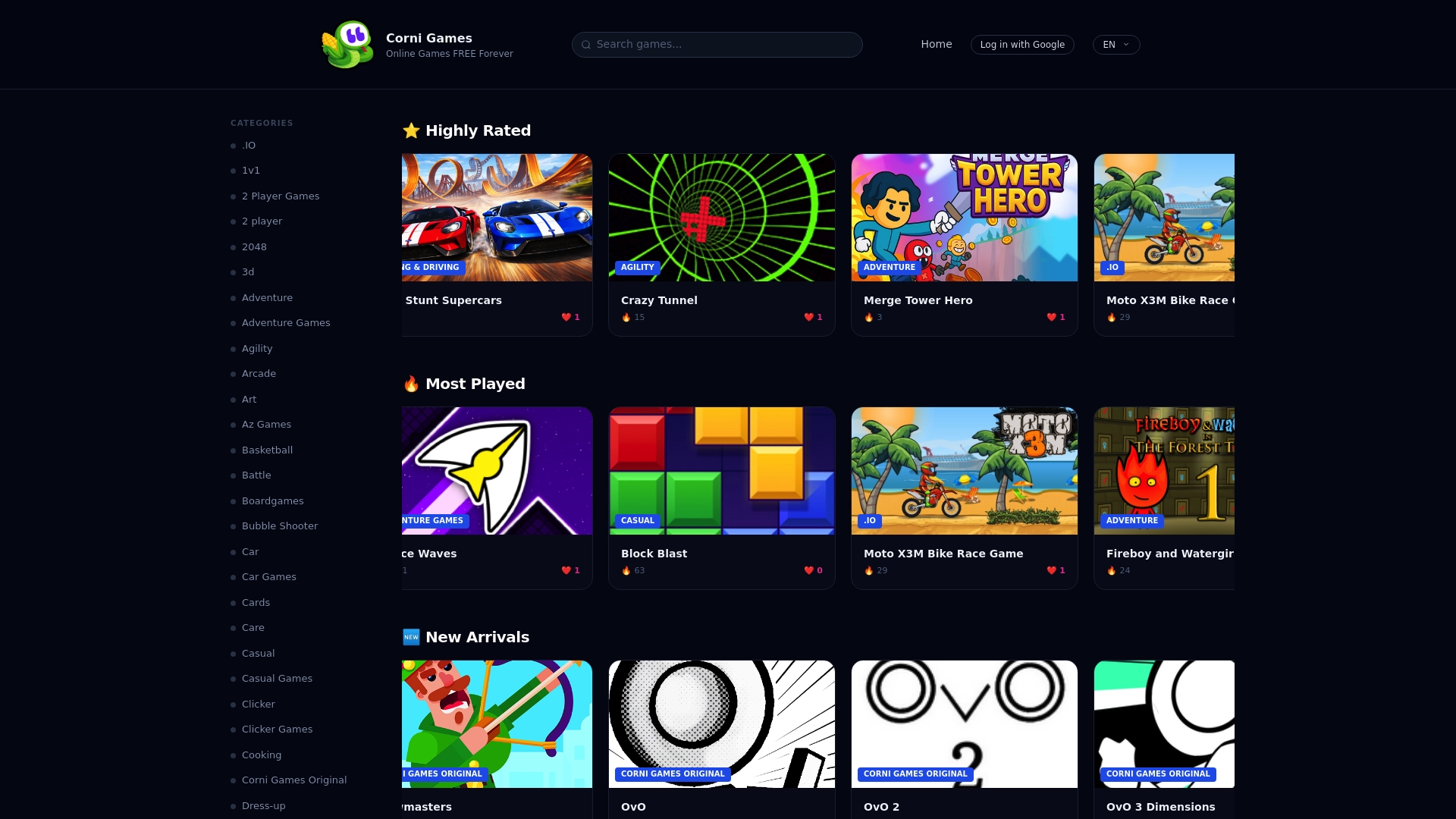
Every game loads directly in your browser within seconds, whether you're on mobile or desktop. Browse all games organized by category to quickly find options matching your preferences. Popular titles, new arrivals, and top-rated games appear on the homepage, helping you discover quality options immediately.
The platform's simple interface means less time searching and more time playing. Filter by genre, check ratings from other casual gamers, and jump into any game with a single click. This free browser games platform removes every barrier between you and fun, exactly what casual gaming should be.
FAQ
What are the easiest types of online games for kids?
Match-3 and puzzle games are easiest for kids due to simple click or tap controls and clear goals. They promote fun and learning with sessions under 10 minutes, perfect for short attention spans and quick play between activities.
Are multiplayer games suitable for young casual gamers?
Multiplayer games can be fun but usually require better internet connections and longer sessions to complete matches. Younger kids often find single-player games more accessible and enjoyable because they can start instantly and pause anytime without affecting others.
Can I play these online games on my mobile phone?
Most casual browser games work on mobile phones with touchscreen optimized controls. Games that run directly in browsers need no downloads, making mobile play fast and easy whether you use iOS or Android devices.
Do online browser games require downloads or registration?
Many browser games require no downloads or registration, enabling instant play from any device. This approach lowers barriers significantly and increases fun by eliminating setup time, storage concerns, and account creation steps.